Achievements
The Achievements window, the toast when you earn one, the points in Status, and how your progress is kept and caught up at login.
Achievements are goals the game tracks for you: reach a level, master a weapon, wear a full set, win in the Arena, visit a new place. Each one is worth points. The World checks them as you play, so there is nothing to claim.
This page covers the window and the points. For what to do to earn them, see How to earn achievements.
Achievements switch on per account during the closed beta. If you see no Achievements button beside the minimap, they are not on for your account yet.
Open the window
Click the cup button beside the minimap. Its tooltip says Achievements. Press Esc or the close button to shut the window.
You can also open it with a key. None is set by default (A opens the Arena window). Choose one in Options → Display → Hotkeys: pick Achievements window, press Change, then press the key.
What is in the window
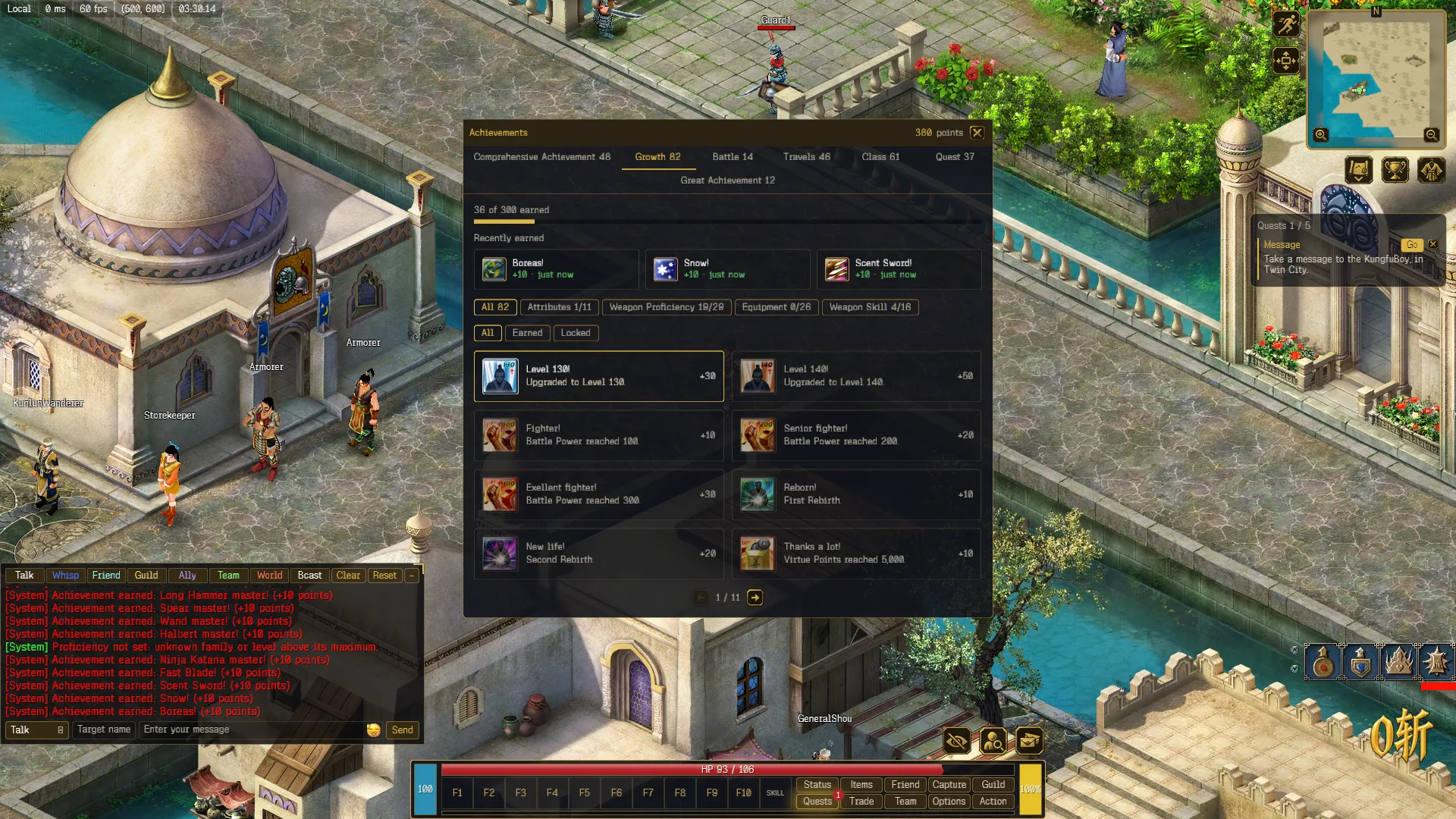
- The header shows your points total and a progress line, for example 36 of 300 earned.
- The tabs along the top are the sections: Comprehensive Achievement, Growth, Battle, Travels, Class, Quest and Great Achievement. The number next to each is how many achievements it holds.
- Recently earned shows the last three you earned in this session, with how long ago.
- Under it, group buttons split a section, for example Weapon Proficiency or Equipment inside Growth. Each shows how many you have earned in it, such as Equipment 0/26. All shows the whole section.
- All, Earned and Locked filter the cards.
- Each card has the name, what to do, and its points. Earned cards have a gold border. Locked ones are dimmed. Eight cards fit on a page: use the arrows under them to turn pages.
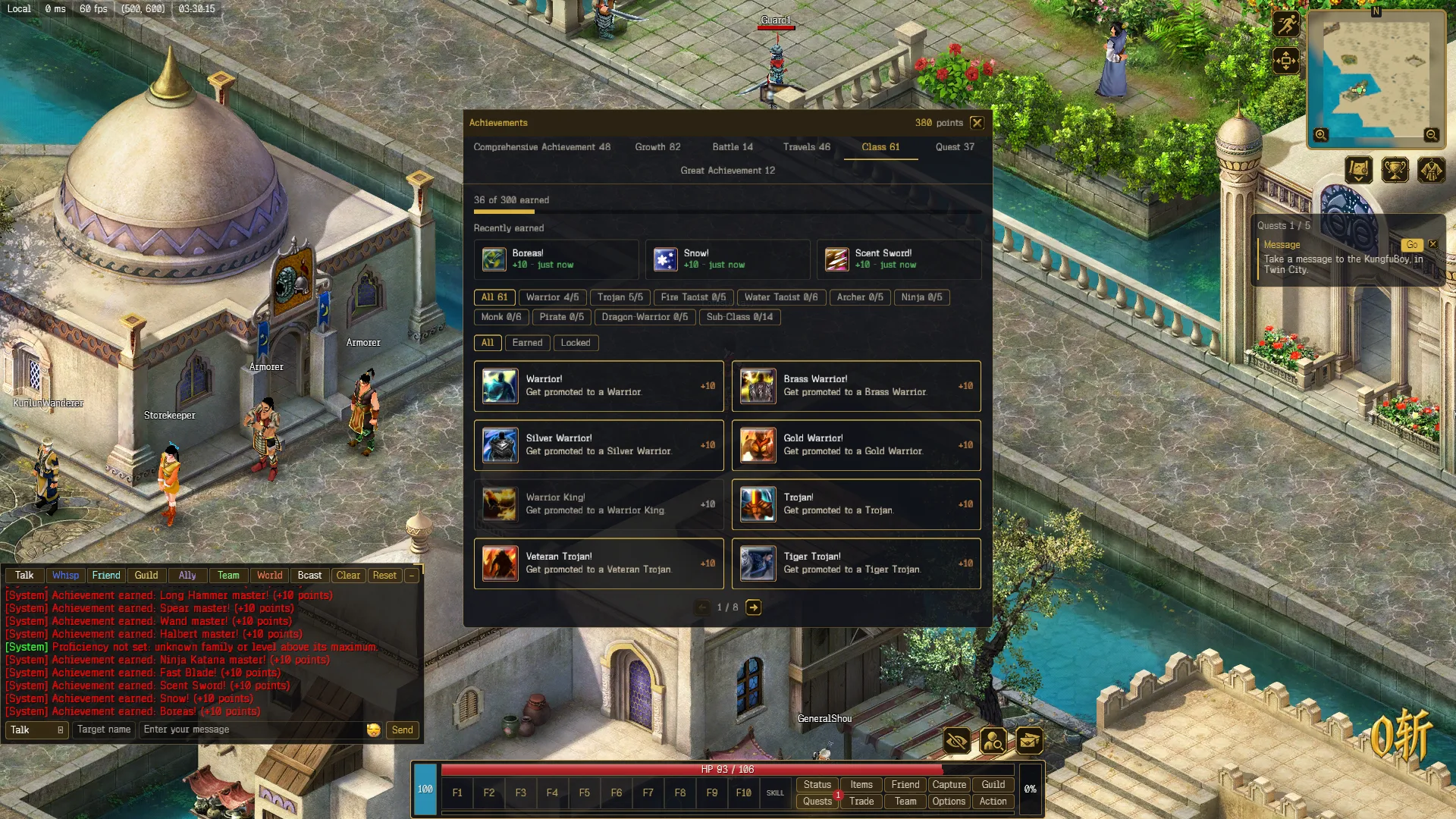
The window lists the full catalog, including achievements that cannot be earned yet. They stay locked. How to earn achievements lists the ones you can earn.
Achievement names and descriptions are shown in English in every language.
When you earn one
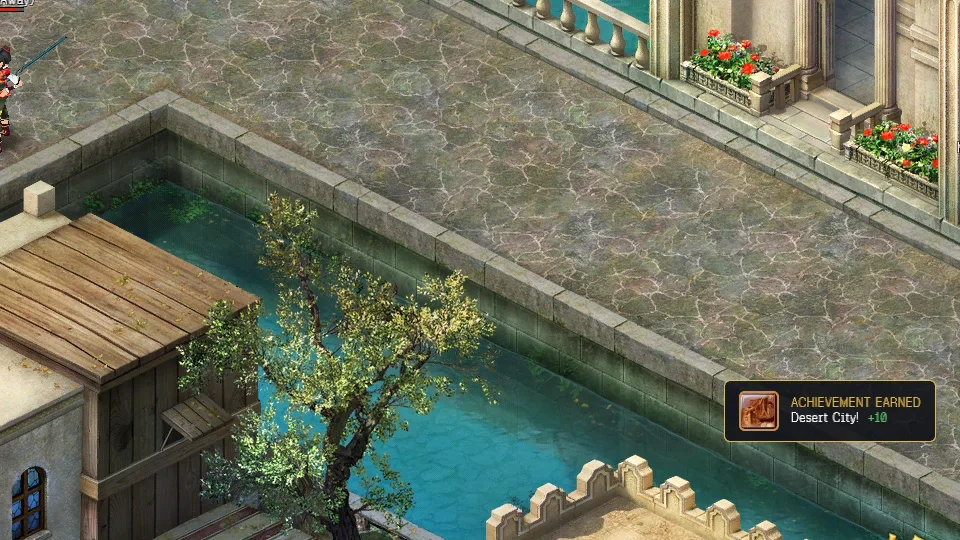
A toast appears at the bottom right of the screen for about five seconds: ACHIEVEMENT EARNED, the name and the points. A line also goes to your chat: Achievement earned: ….
Achievement points
Press S or click Status. On the Role tab, Achievement Points sits under PK Points. It is the same number as in the window header.
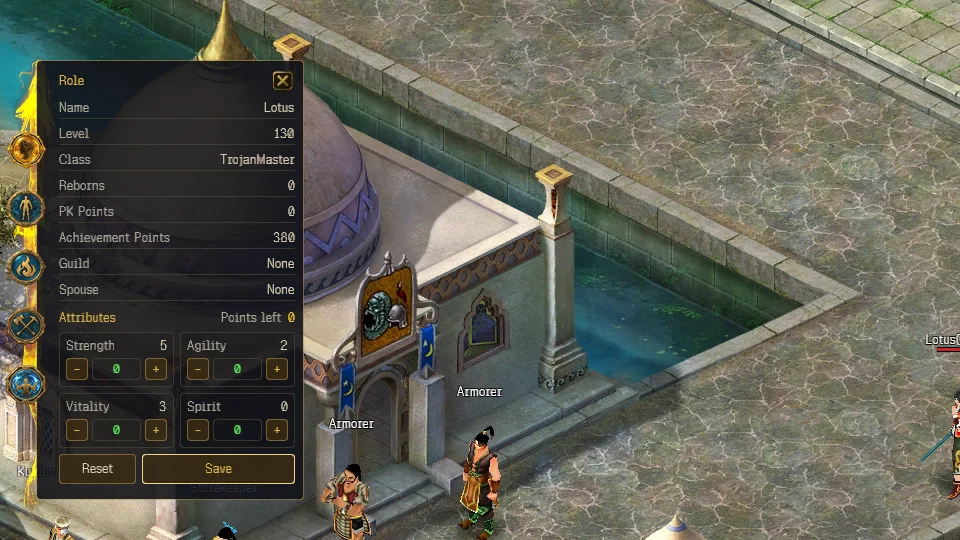
Your total is always the points of the achievements you hold, counted from the current catalog. If an achievement’s points change in a later update, your total follows.
Progress and login
Earned achievements are saved on your character. Logging in also checks what you already qualify for, so an achievement you could have earned before it existed is awarded when you next log in. Not everything can be caught up: see How to earn achievements.